Google Play Store PC
Google Play is Google's digital distribution platform. On Windows, Google offers Play content through the browser and Google Play Games on PC.
52.9 MB
APK Installer for PC is a Windows app from HUXSoft for opening and installing Android APK files on a computer instead of a phone.
Average 0.0 · ratings: 0
Thank you! Your rating is saved; you can change it. Could not save the rating. Please try again later. Too many ratings from your network today. Please try again tomorrow. The average appears after 5 ratings.
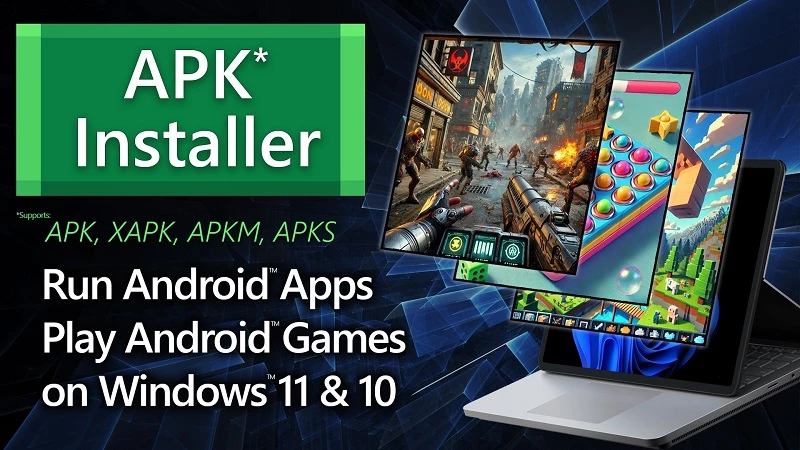
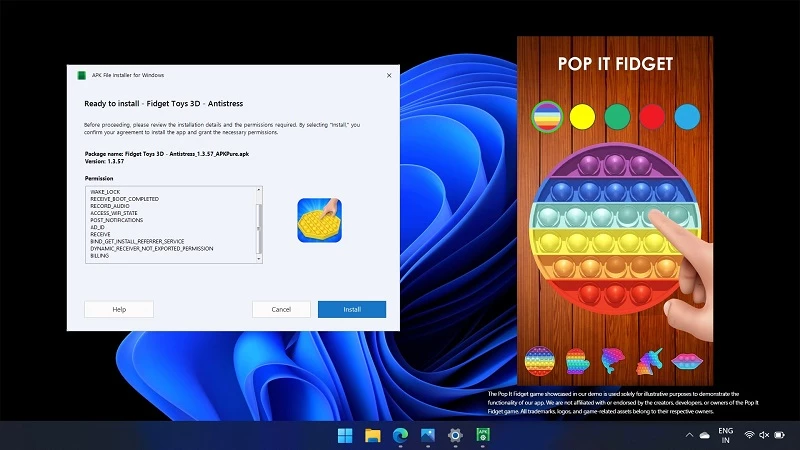
APK Installer for PC 3.4.0.0 is a Windows app from HUXSoft.com that lets you open Android APK files on a computer and install them into an Android environment on the PC. It is aimed at people who want to run a specific Android app on Windows without a phone. You can download APK Installer for PC from HUXSoft's website or the Microsoft Store.
An APK is the installation package of an Android app. On a phone you tap it and Android does the rest, but Windows does not know what to do with such a file. Tools like APK Installer for PC fill that gap: you pick an APK, see its details such as name, version and requested permissions, and send it to an Android environment for installation. This is handy for developers who want to test their own builds, for people who need an app that exists only for Android, and for anyone who wants to inspect an APK before installing it on a phone. It is not a full replacement for an Android device. Whether apps actually run depends on the Android environment on your PC and on the app itself: games and apps that rely on Google services, a camera or phone-specific hardware may not work. Before you install, read the developer's page to see which Android environment the tool requires on your version of Windows. Microsoft has discontinued its own Windows Subsystem for Android, so if a guide you find relies on it, look for an alternative setup.
| Item | Details |
|---|---|
| Version | 3.4.0.0 |
| Developer | HUXSoft.com |
| Platform | Windows |
| Licence | free |
| Size | about 55.58 MB according to catalogue data |
The tool is only as safe as the APK files you give it. Modified or "unlocked" APKs from unknown sites are a common source of malware, whether on a phone or a PC. Prefer apps you can also find in official stores, check the permissions the installer shows you and be wary of apps that ask for far more than they need. Never install apps that promise to hack accounts, generate free in-game currency or bypass paid features.
If you want to play Android games or use many apps regularly, a full Android emulator with its own app store is usually more convenient. It provides Google Play, handles updates and offers keyboard and mouse mapping for games.
Full Android emulators in our listings include BlueStacks, LDPlayer, NoxPlayer and MSI App Player. Google Play Store PC offers Google's own route to Android games on Windows.
Google Play is Google's digital distribution platform. On Windows, Google offers Play content through the browser and Google Play Games on PC.
Media Creation Tool is a free Microsoft utility that downloads Windows and turns it into a bootable USB flash drive or an ISO file.

LDPlayer is an Android emulator for Windows that runs mobile apps and games on a computer.

BlueStacks is an Android emulator for Windows that lets you run Android apps and games on your PC.
Rufus is a free Windows utility that turns a USB stick into a bootable installer. The current version is 4.15.

PC App Store is a free software store for Windows from Baidu for finding, installing and updating PC programs. This page covers version 5.0.1.8682.

Uptodown App Store for Windows is the desktop client of Uptodown, a marketplace for desktop software and mobile apps. This page covers version 1.0.3.
NoxPlayer is a free Android emulator from Bignox for Windows and macOS that runs mobile games and apps on a computer with keyboard and mouse control.